
CaseCraft Systems / WAVS
Keep the conversation moving.
WAVS puts customer conversations, contacts and pipeline in one shared workspace. We start with how your team works today, then set WAVS up around it.
Screens on this page use sample data. We confirm features and setup for your account in discovery.
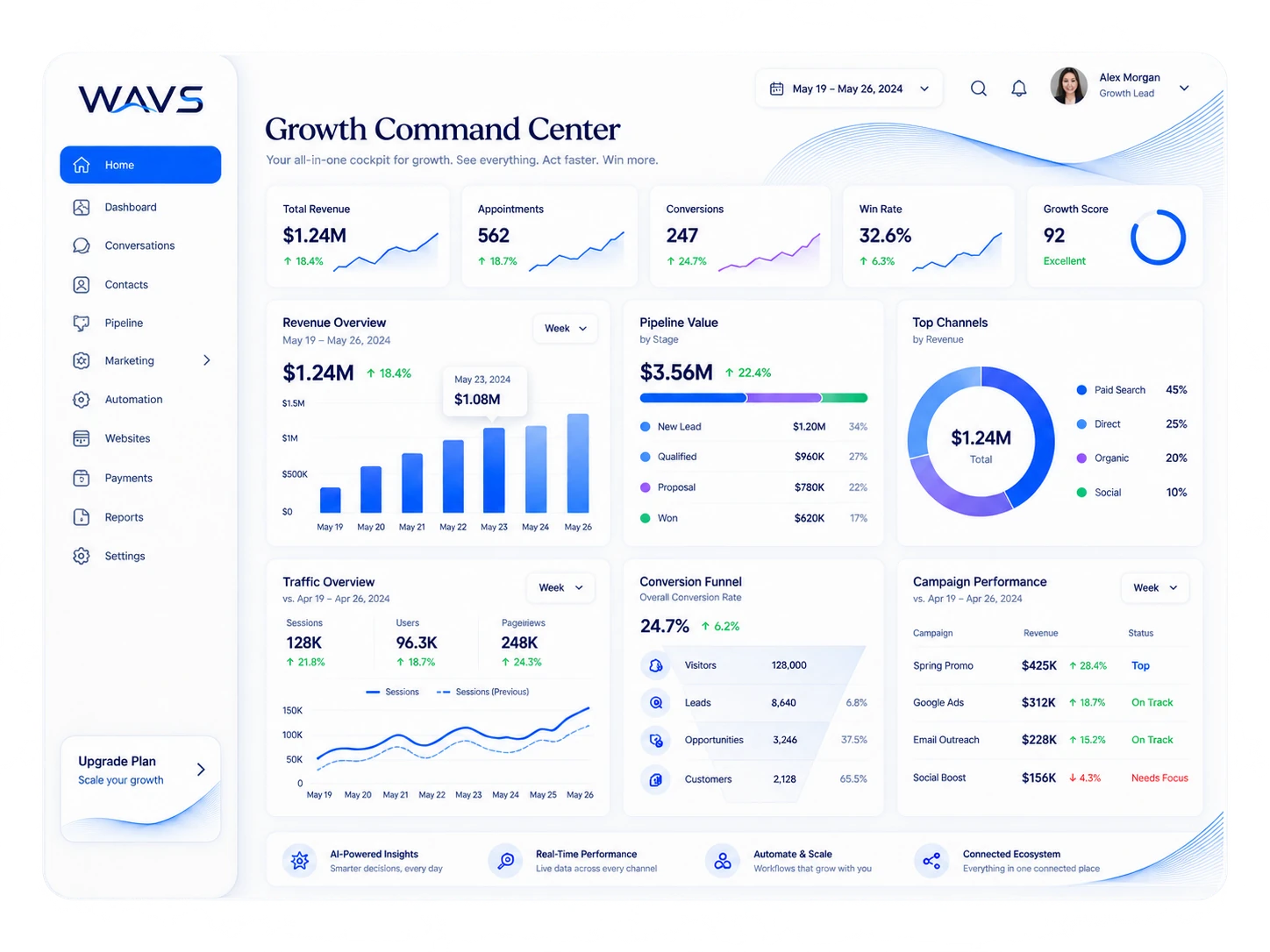
The product at a glance
One workspace. Five practical jobs.
WAVS follows a customer from the first message through the pipeline, campaigns, workflows and reports. We use these five parts to work out which ones your team needs first.
01 / Capture
Bring the first signal into view.
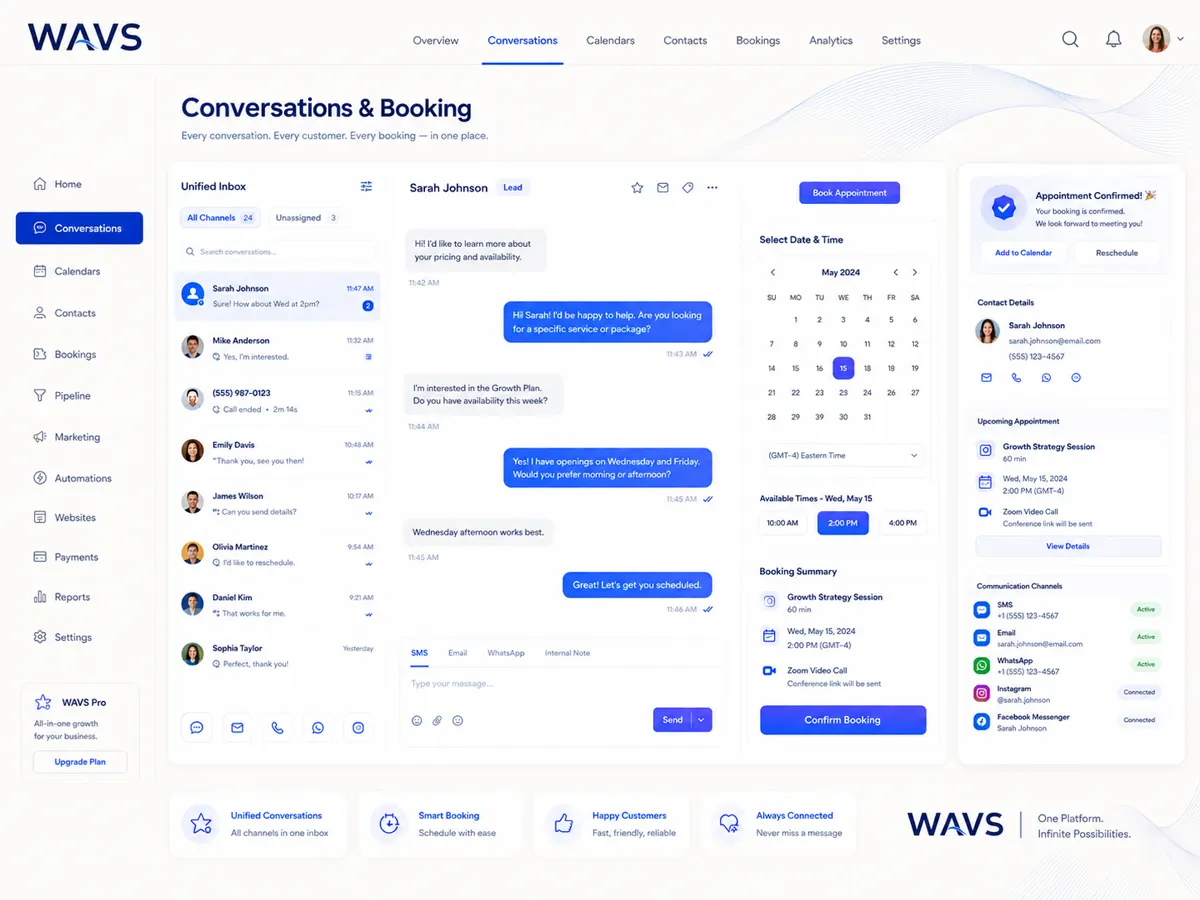
You can only follow up on what you can see. WAVS puts the inbox, the contact record and booking activity on one screen.
- Conversations
- Contacts
- Calendar and booking view
02 / Convert
Make the next step clear.
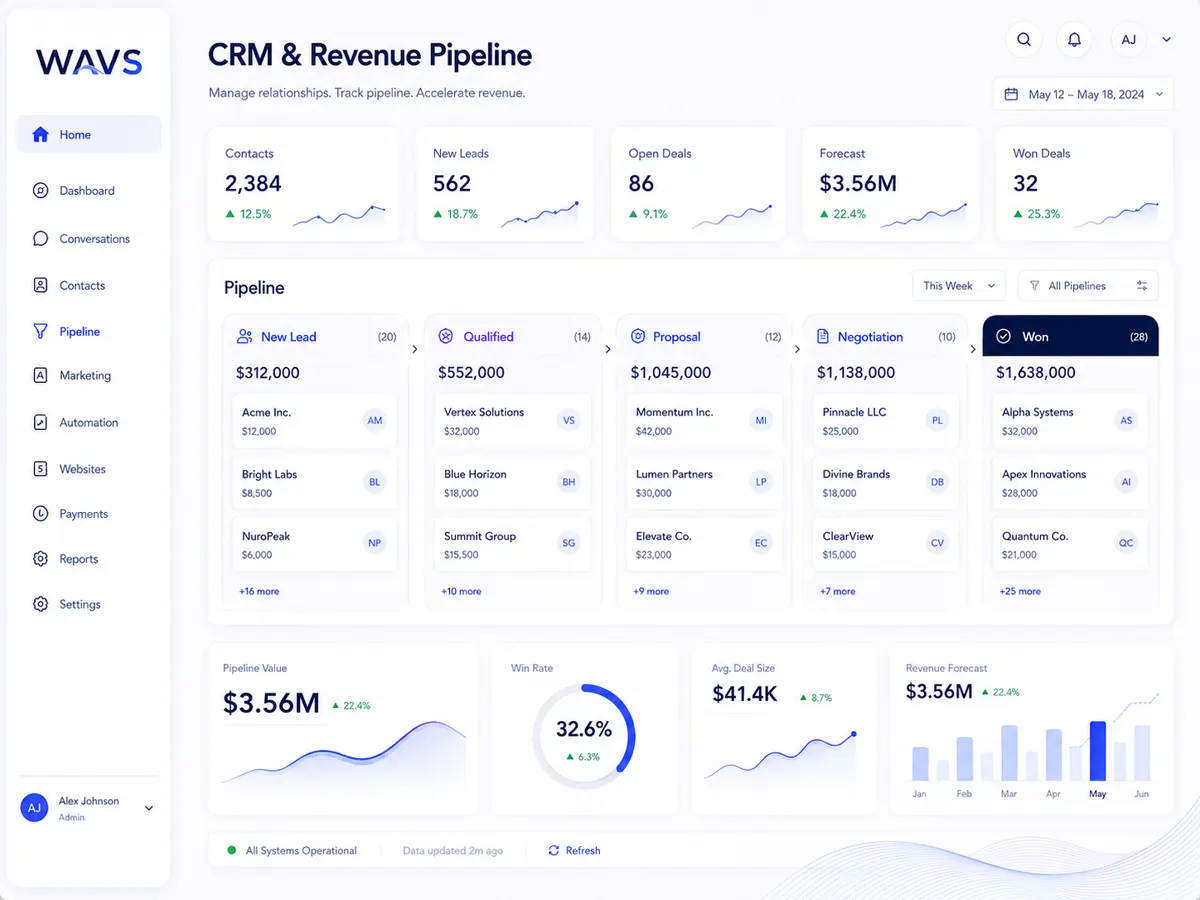
Opportunities sit in stages, so everyone can see who owns each one, which appointments are booked and what has to happen next. We build the stages from your process.
- Opportunity stages
- Pipeline view
- Progression and follow-up
03 / Nurture
Keep the relationship alive.
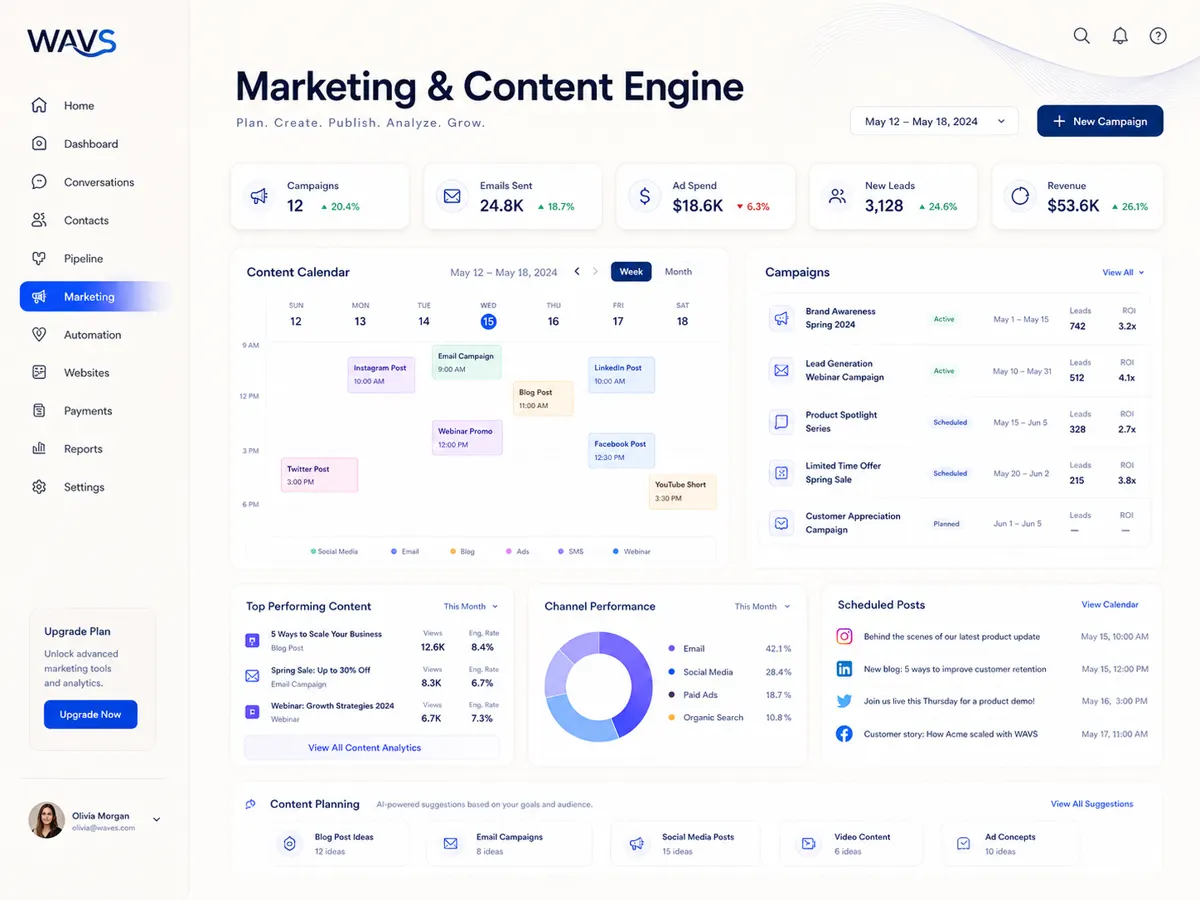
Campaign planning, a content calendar and channel review live together. We use them to plan how your team stays in touch after the first inquiry.
- Campaign planning
- Content calendar
- Communication review
04 / Operate
Turn repeatable work into a route.
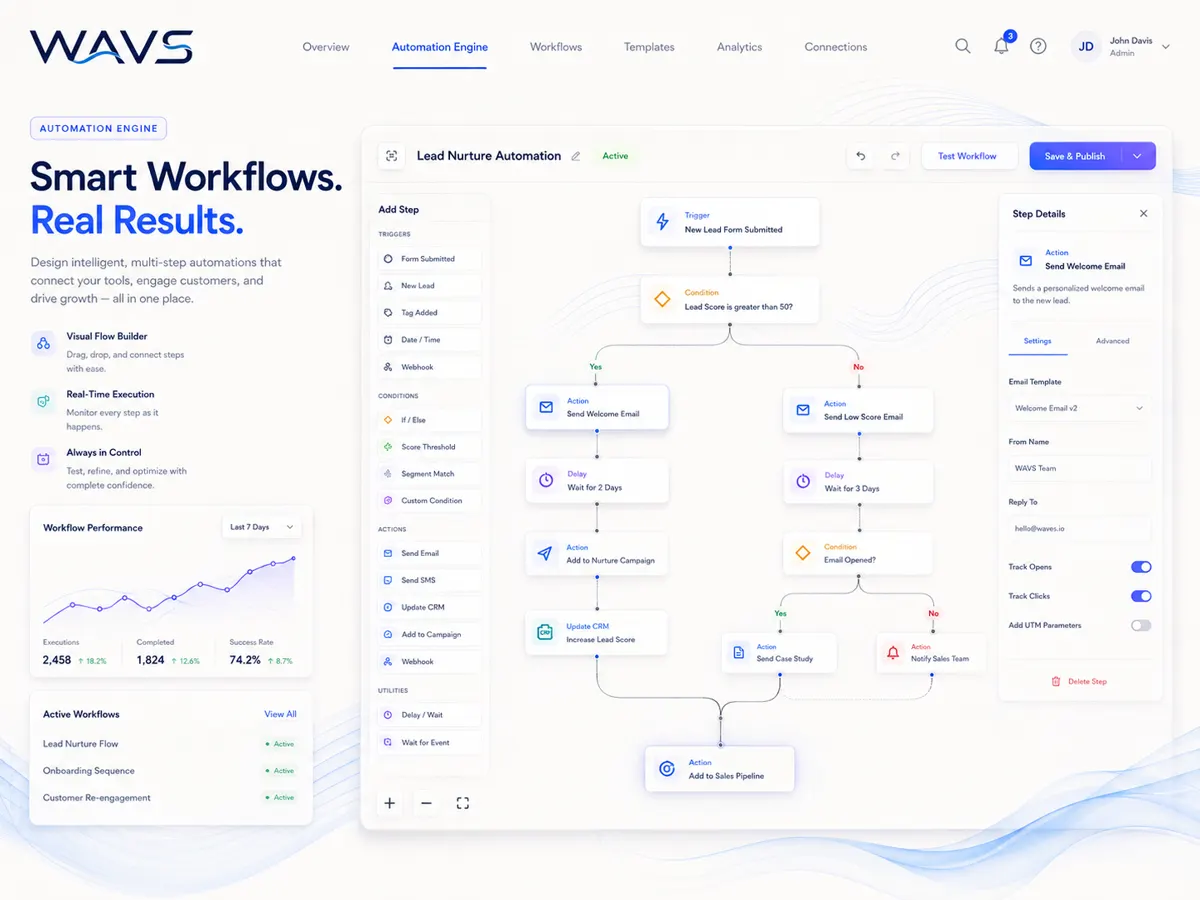
A workflow is a trigger, a few conditions and the actions that follow. We automate the steps that repeat every week and confirm each one is supported before it goes live.
- Workflow mapping
- Triggers and conditions
- Defined next actions
05 / Measure
See what happened. Improve what follows.
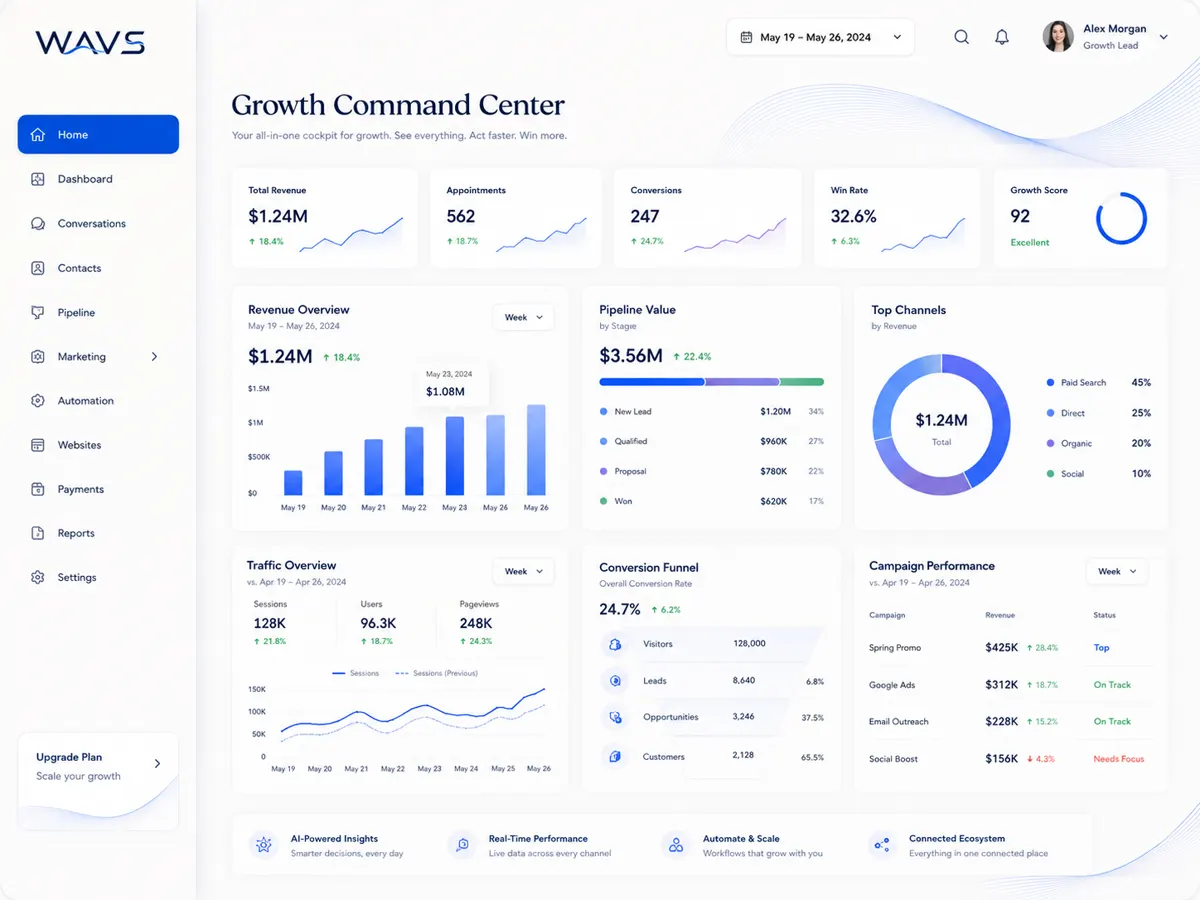
Activity and pipeline reports sit side by side. Before we build any report, we agree with you on the few numbers that tell your team what to fix next.
- Activity overview
- Pipeline reporting
- Performance review
Part of a larger system
WAVS handles the conversation. ORBI handles what happens next.
CaseCraft maps the hand-off between customer activity, operations, and the tools your team already uses. For each tool we check whether the connection is native, runs through an API or automation, or needs custom work.
See the ecosystem flowProduct knowledge center
Questions before you connect?
Straight answers about CRM, pipeline, AI, integrations, setup, and how WAVS differs from ORBI.
What is WAVS?
WAVS is the customer side of CaseCraft Systems: one workspace for conversations, contacts, pipeline, marketing, workflows and reporting. We map how your team handles customers first, then set WAVS up around that.
Who is WAVS designed for?
Teams that get inquiries from several places and lose track of who replied, what was promised and what happens next. Clinics, service businesses and sales teams are good examples. We confirm the fit for your team in a discovery call.
Is WAVS a CRM?
It does the core CRM job. A CRM (customer relationship management system) keeps people, conversations and deals visible to the whole team, and WAVS has contact, pipeline and conversation views for that. We list the exact functions for your plan before you commit.
How do WAVS pipelines and opportunities work?
Each opportunity sits in a stage, so the team can see where every conversation stands and who owns it. We build the stages from your real sales or booking process, so you are not stuck with a template.
Can WAVS replace my existing CRM?
Sometimes, but we do not start there. We look at the records, workflows, reports and connections you rely on, then recommend replacing the CRM, connecting to it, or leaving it alone.
What happens to a new lead?
The inquiry comes in with its source and message attached to the contact. Someone, or an approved workflow, gets the next step, and the team reviews the result later. Which channels feed in depends on your setup.
Can WAVS manage customer conversations in one place?
Yes, WAVS has a shared conversation view. During setup we confirm which of your channels can feed into it and who on the team gets access.
How does lead follow-up work?
Good follow-up needs an owner, a timing rule, a message, a point where it stops, and a way to see the result. We map those five things first, then decide which steps a person handles and which a workflow handles.
What does the workflow view show?
A trigger, the conditions it checks, and the actions that follow. We use it with you to design a repeatable process, and we confirm which actions your account supports before switching anything on.
What can WAVS AI automate?
That depends on the task. We start by naming the job, where its data lives, the guardrails and who reviews it, then check what the current product supports. You get a clear list before anything runs.
Which actions still require a human?
You decide, based on risk. We mark review points for customer-facing messages, record changes and any decision with real consequences, and we write those rules down before launch.
What reporting does WAVS provide?
WAVS has activity and pipeline reporting panels. We agree on the numbers you need, such as response time, stage conversion or bookings, and confirm the data sources behind them before we promise a report.
Can WAVS connect to our existing tools?
We list your current tools first. For each one we check whether the connection is native, runs through an API or automation platform, needs custom work, or is not possible yet.
Can WAVS connect to my existing CRM instead of replacing it?
Often that is the better route. We check both systems, who owns which records, access rights and which way the data needs to flow before we propose a connection.
What information does CaseCraft need before setting up WAVS?
Where your inquiries come from, the tools you use now, your customer stages, who hands off to whom, how follow-up works today, and how you measure success. That map becomes the project scope.
Can we start small and expand WAVS later?
Yes, and we recommend it. Start with one customer journey, get it working, then add more workflows once the first one is solid.
How is WAVS different from ORBI?
WAVS handles customers: conversations and pipeline. ORBI handles operations: status, decisions and approved actions. We map where one hands off to the other.
Can WAVS and ORBI work together?
Yes, that is the idea. A customer message in WAVS can lead to an operational decision in ORBI. We confirm the data route, permissions and available integration for your setup before building it.
Start with the problem, not a feature list
What should your system make easier?
Tell us where customer context gets lost or work slows down. We’ll map the next conversation from there.
Start a conversation